
Download Doorbell.io – free feedback help desk tool for apps
Overview
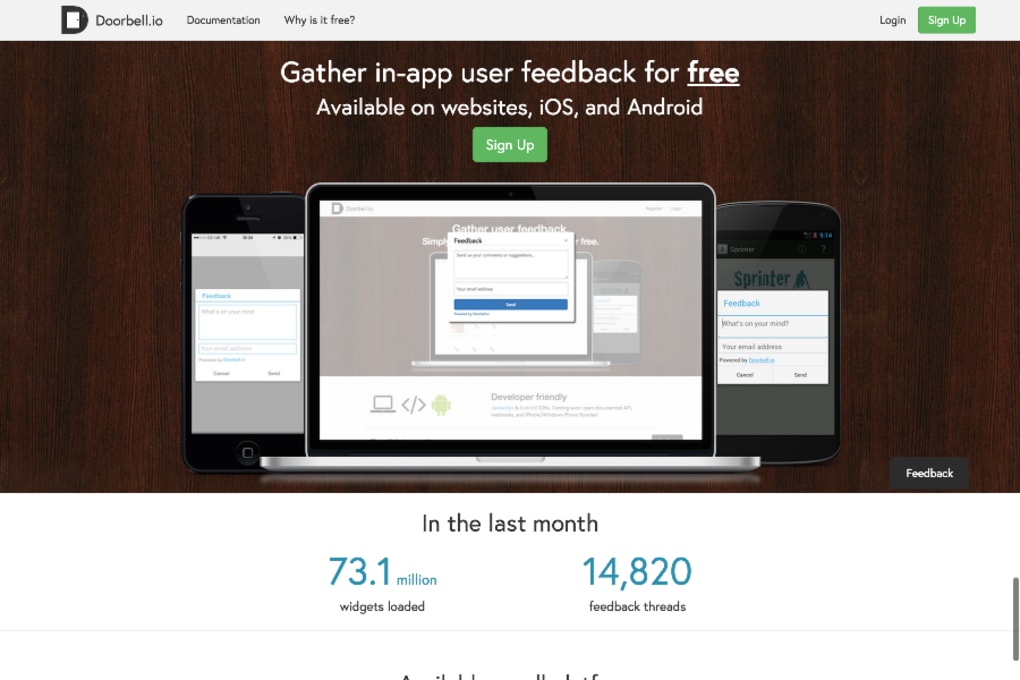
Doorbell.io is a modern help‑desk platform built specifically for gathering real‑time feedback from application users. Whether you run a mobile game, a SaaS product, or an internal enterprise tool, Doorbell.io lets end‑users report bugs, suggest features, or flag usability problems with a single tap. The moment a user submits a message, the system can forward the ticket to any of the more than 20 integrated project‑management or issue‑tracking services such as Jira, Trello, Asana, GitHub Issues, and ClickUp.
This seamless hand‑off eliminates the manual copy‑paste step that traditionally slows down development cycles. Doorbell.io also supports push notifications, screenshot attachments, and contextual metadata (device type, OS version, screen resolution) so that developers receive a complete picture of the problem without having to ask follow‑up questions. While the website advertises a “free” plan, the offering is actually a 14‑day trial; after that, a modest monthly subscription is required to keep the service active.
The pricing model is transparent, with tiered plans that scale based on the number of active users and the depth of analytics you need. In short, Doorbell.io acts as a bridge between your customers and your development team, turning raw user sentiment into actionable tickets that can be tracked, prioritized, and resolved inside the tools you already love.
Key Features & Integrations
- Universal Feedback Widget – A lightweight, customizable widget that can be embedded in web apps, native iOS, Android, or desktop applications with just a few lines of code.
- Instant Push Notifications – Receive real‑time alerts on your mobile device or desktop whenever a new piece of feedback arrives, ensuring critical bugs are addressed quickly.
- Screenshot Capture – Users can attach annotated screenshots directly from the feedback form, providing visual context that speeds up debugging.
- 20+ Native Integrations – Out‑of‑the‑box connectors for Jira, GitHub, GitLab, Azure DevOps, Trello, Asana, ClickUp, Monday.com, Linear, and many more, with webhooks for custom workflows.
- Advanced Routing Rules – Define rules that automatically assign tickets to specific teams or developers based on tags, severity, or product area.
- Analytics Dashboard – Track trends, sentiment scores, and recurring issues with built‑in charts and exportable CSV reports.
- Multi‑Language Support – The widget and admin console are available in over 10 languages, making it easy for global products to collect feedback locally.
- Secure Data Handling – All communications are encrypted via TLS 1.3, and the platform complies with GDPR and CCPA standards.
- Custom Branding – Match the look and feel of your app by adding your logo, colors, and custom welcome text.
- Free Trial & Scalable Pricing – Start with a 14‑day free trial; paid plans begin at $29 /month and grow with your user base.
Installation, Usage & Compatibility
Getting Started in Minutes
Installing Doorbell.io is intentionally frictionless. After signing up for the trial, you receive a
unique API key and a small JavaScript snippet for web applications, or an SDK for mobile platforms.
For a web app, paste the following code just before the closing tag:
For iOS, add the DoorbellSDK via CocoaPods:
pod 'DoorbellSDK'And for Android, include the Gradle dependency:
implementation 'io.doorbell:doorbell-android:1.2.0'After integration, launch your app, tap the floating “Feedback” button, fill out the form, attach a screenshot if needed, and hit submit. The ticket instantly appears in the Doorbell.io dashboard and, if you have configured an integration, it is forwarded to the chosen project‑management tool.
Supported Operating Systems
Doorbell.io works across all major platforms:
- Windows 10/11 (desktop web browsers – Chrome, Edge, Firefox, Safari)
- macOS Monterey and later (desktop web browsers)
- iOS 13+ (iPhone & iPad)
- Android 8.0+ (phones & tablets)
Best Practices for Efficient Use
To get the most out of Doorbell.io, start by defining clear routing rules in the admin console. For example, route any feedback containing the tag “crash” directly to your QA Slack channel, while feature requests go to the product backlog in Jira. Enable the “Auto‑Close” option for tickets that are marked as “duplicate” to keep your board tidy. Regularly review the analytics dashboard to spot spikes in specific error types; this helps you allocate engineering resources before users become frustrated. Finally, encourage your support team to respond to feedback within 24 hours – quick acknowledgment alone improves user satisfaction and reduces churn.
Pros, Cons & Frequently Asked Questions
Pros
- Simple, embeddable widget works on web, iOS, and Android.
- Native integrations with over 20 project‑management tools.
- Real‑time push notifications keep teams instantly aware of issues.
- Screenshot attachment and contextual metadata reduce back‑and‑forth.
- GDPR‑compliant data handling and TLS‑encrypted traffic.
- Custom branding lets the widget blend with your product’s UI.
- Scalable pricing starts at a modest $29 /month after trial.
Cons
- Free tier is limited to a 14‑day trial; no perpetual free plan.
- Advanced analytics require higher‑priced tiers.
- Initial setup of routing rules may be confusing for non‑technical teams.
- Push notification reliability depends on device settings.
- No built‑in AI for automatic ticket categorization (requires manual rules).
Overall, Doorbell.io delivers a robust feedback‑to‑ticket pipeline that saves developers time and improves user experience. The trade‑off is the lack of a forever‑free option, but the value added by integrations and real‑time alerts often justifies the subscription cost for growing product teams.
Frequently Asked Questions
Is Doorbell.io really free to use?
Doorbell.io offers a 14‑day free trial that gives you full access to all features. After the trial, you must choose a paid subscription plan to continue using the service.
Which project‑management tools can Doorbell.io integrate with?
The platform supports over 20 native integrations, including Jira, GitHub, GitLab, Azure DevOps, Trello, Asana, ClickUp, Monday.com, Linear, and many more. You can also use webhooks for custom integrations.
Can I collect screenshots from users?
Yes. The feedback widget includes a built‑in screenshot capture feature that lets users annotate and attach images directly to their tickets, providing visual context for developers.
Is the data transmitted securely?
All communication between the client widget and Doorbell.io’s servers is encrypted with TLS 1.3. The service also complies with GDPR and CCPA regulations for data privacy.
How do I set up push notifications for new feedback?
After logging into the Doorbell.io dashboard, navigate to “Settings → Notifications”, enable push notifications, and install the mobile app on iOS or Android. You’ll receive alerts instantly when users submit new tickets.
Conclusion & Call to Action
Doorbell.io bridges the gap between user sentiment and development workflow with a clean, cross‑platform feedback widget and deep integrations into the tools teams already use. Its strengths lie in real‑time notifications, screenshot capture, and the ability to route tickets automatically to the right backlog. While the absence of a permanent free tier may deter hobby projects, the modest pricing and powerful feature set make it a compelling choice for startups and midsize SaaS companies that need to turn user reports into actionable tickets without building a custom solution.
If you’re looking for a secure, easy‑to‑implement feedback system that works on Windows, macOS, iOS, and Android, give Doorbell.io a try. Start your 14‑day free trial today, explore the integration library, and see how quickly your team can resolve user‑reported issues. Download Doorbell.io now and turn every user voice into a roadmap‑ready insight!



.png)



